
How LinkedIn Learning Approaches Video Learning Production
LinkedIn Learning has become a key benchmark for companies worldwide in designing and executing effective video learning for employee training programs.

LinkedIn Learning has become a key benchmark for many companies worldwide in designing and executing effective video learning for employee training programs.
Through a structured curriculum approach, this video-based e-learning platform has helped more than 27 million professional users worldwide upskill and reskill with flexibility.
LinkedIn Learning offers more than 22,000 courses across three main categories: Business, Technology, and Creative. Each category contains numerous subcategories that cover a wide range of L&D needs, from upskilling and reskilling to management.
LinkedIn Learning is trusted by more than 27 million users worldwide. This shows that the approach LinkedIn Learning takes in building its learning experience is worth examining closely. Here are a few things we observed in the video learning content LinkedIn Learning produces.
The Keys to LinkedIn Learning's Video Production Success
1. Applying Bite-Sized Learning
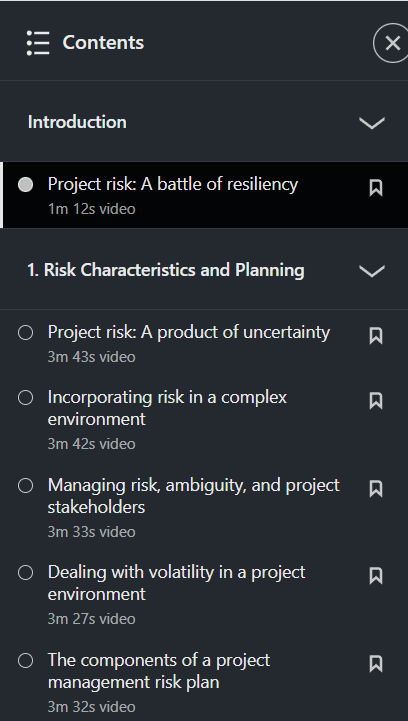
Each course is broken down into learning videos covering various subtopics, with a relatively short runtime for each one. This bite-sized learning model helps learners "chew through" a topic gradually, through videos running roughly 2-5 minutes.
Some videos run as short as 1 minute, while others exceed 6 minutes. Longer videos tend to be driven by how complex the subtopic is.
2. Using an Effective Script
Even though the average runtime of LinkedIn Learning videos is relatively short, every presenter delivers their material through a script. This can be spotted in how fluent the presenter is, their word choice, and how tidy the structure is. Even when some presenters sound a bit stiff, their explanations stay focused and don't ramble. The result is content that feels structured and dense.
Of course, some presenters sound more natural than others. For example, there's a noticeable difference in delivery between Chad Perkins in the course Creating a Short Film: 01 Producing and Ajay Pangarkar in the course Train the Trainer.
Based on speaking style and word choice, Perkins sounds more sincere and personal in his delivery. His script manages to replicate the way people actually speak. Pangarkar's script, by contrast, reads more like a book or an article.
3. Inserting Appropriate Visuals
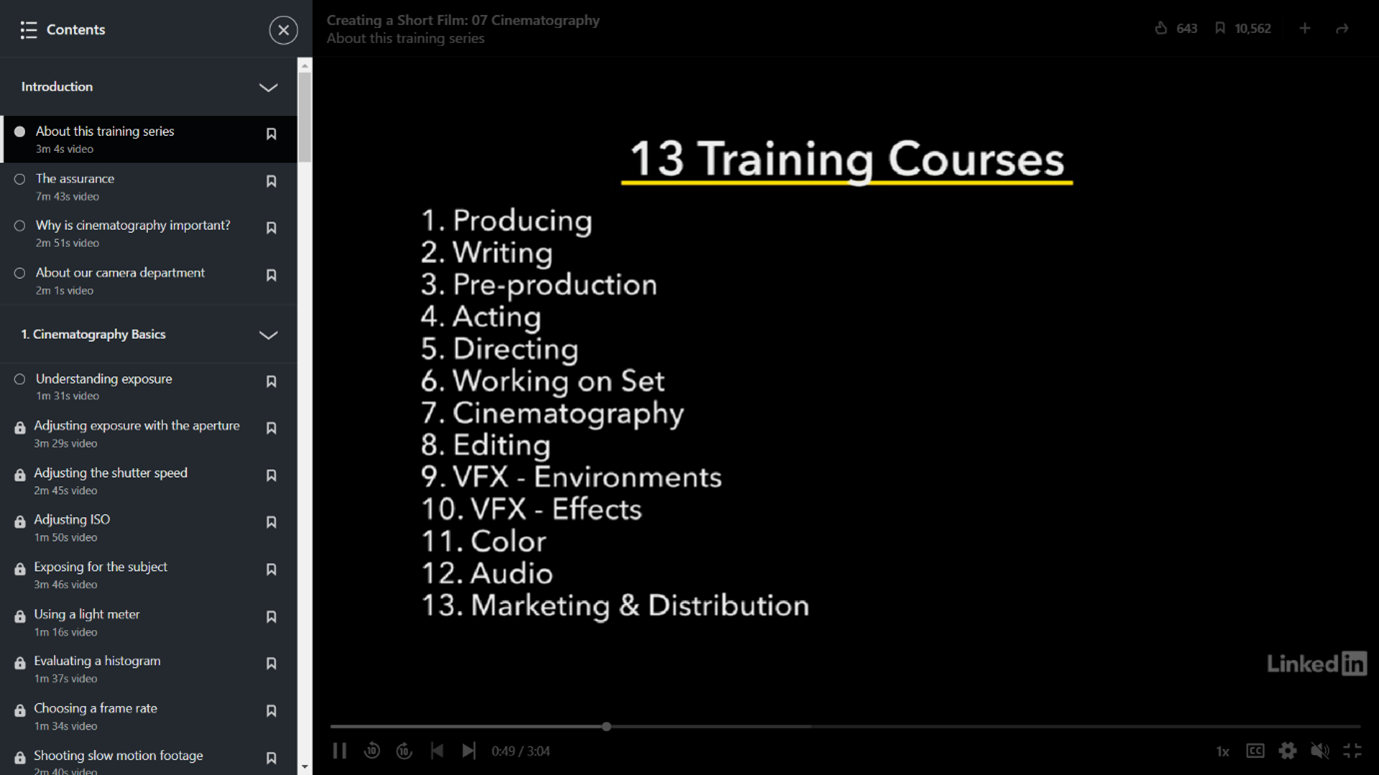
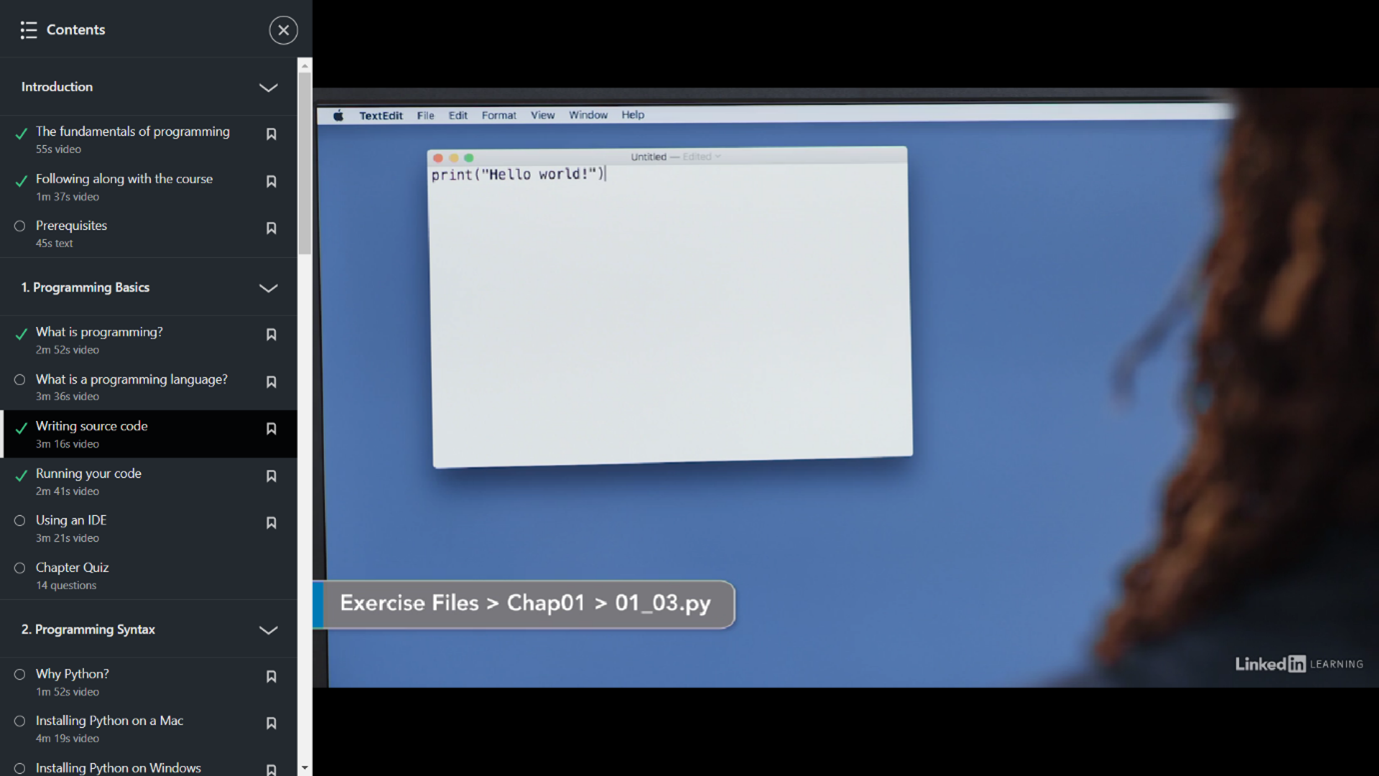
Each video learning course differs in how it uses visual aids. For example, Annyce Davis in the course Programming Foundations: Fundamentals uses high-quality motion graphics, while Jeff Toister in the course How to Design and Deliver Training Programs uses only simple visuals to emphasize certain points.
Beyond graphic visual aids, some presenters use relevant video and images. For instance, Jungwoo Ryoo in the course Python: Design Patterns (2015) shows live software recordings while explaining concepts.
Chad Perkins, meanwhile, inserts behind-the-scenes video and photos from the making of his short film. This documentation footage gives a clearer picture of the points he makes about filmmaking throughout his video learning course.
Monkey Melody understands that every company faces different challenges and goals.
That's why we offer a tailored approach to ensure every video we create achieves the intended training objectives. Ready to transform your company's training material into effective video learning or interactive video?
Contact Monkey Melody now via WhatsApp at +62 812-1954-8155, email info@monkeymelody.com, or through the link below.
More insights
Research on Interactive Video Among Biology Students
The use of video as a self-paced e-learning medium has become standard practice in corporate training programs and higher education.
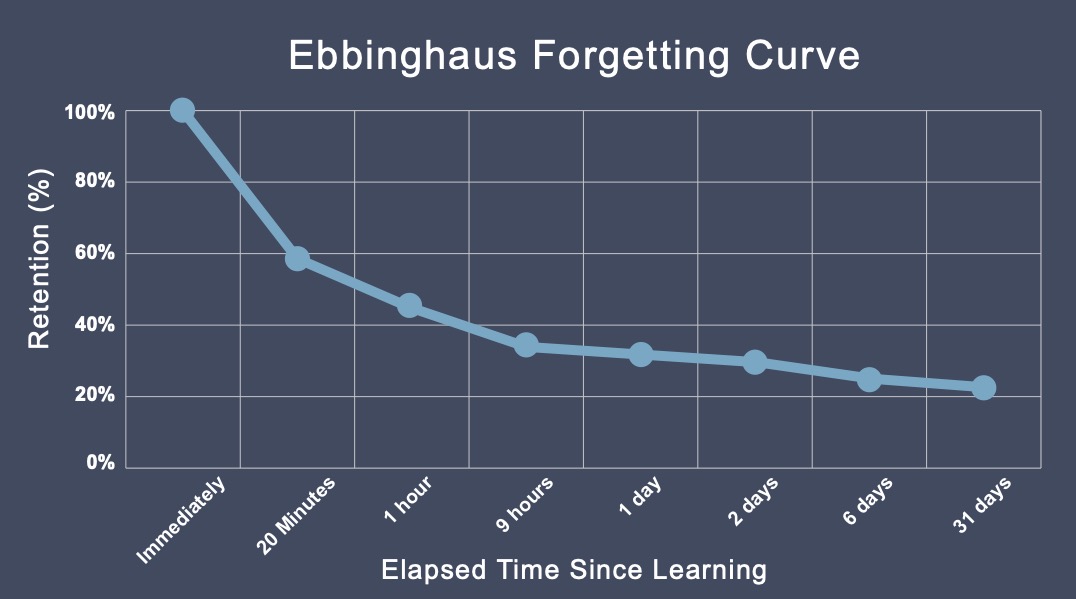
The Science Behind Why Microlearning Works
A single long training day often fails because it fights how the brain actually works — see how microlearning, the Forgetting Curve, and spaced repetition make material actually stick.
How AI Video Search Is Transforming Corporate L&D
Thousands of hours of training video pile up in your company's LMS, hard to search once a program ends — see how AI Video Search is changing the way L&D teams find specific moments buried in that dark data.
Want the short version, applied to your company?
Let's talk about what this means for you.
Get in touch