
Got Long Training Recordings? Try Reformatting Them!
Large companies typically already run plenty of training sessions, whether in a classroom or at major events like seminars. Formats like these still require significant preparation and budget, but…

Managing the Lifecycle of Learning Material Through Repurposing
Large companies typically already run plenty of training sessions, whether in a classroom or at major events like seminars. Formats like these still require significant preparation and budget, but nowhere near as much as producing a video learning project from scratch.
Often, a recorded seminar never gets reworked into something new, even though there might be hundreds of hours of webinar footage just sitting on a hard drive. Yet reworking that long-form footage into video learning content can be a quick way to expand your material library into a format that's far easier to digest.
The process of repurposing content can serve as a comprehensive knowledge-asset management strategy. Building video learning from scratch usually requires a long workflow — needs analysis, scriptwriting, filming, and post-production.
By repurposing existing training documentation, Learning & Development (L&D) teams can cut production time significantly without sacrificing quality or depth of material.
According to 2024 data from Kaltura, repurposing webinar content is an efficient strategy that lets marketing teams reuse event material repeatedly across multiple marketing channels. This practice has become part of modern marketing strategy, with as many as 65% of marketers repurposing their webinar content.
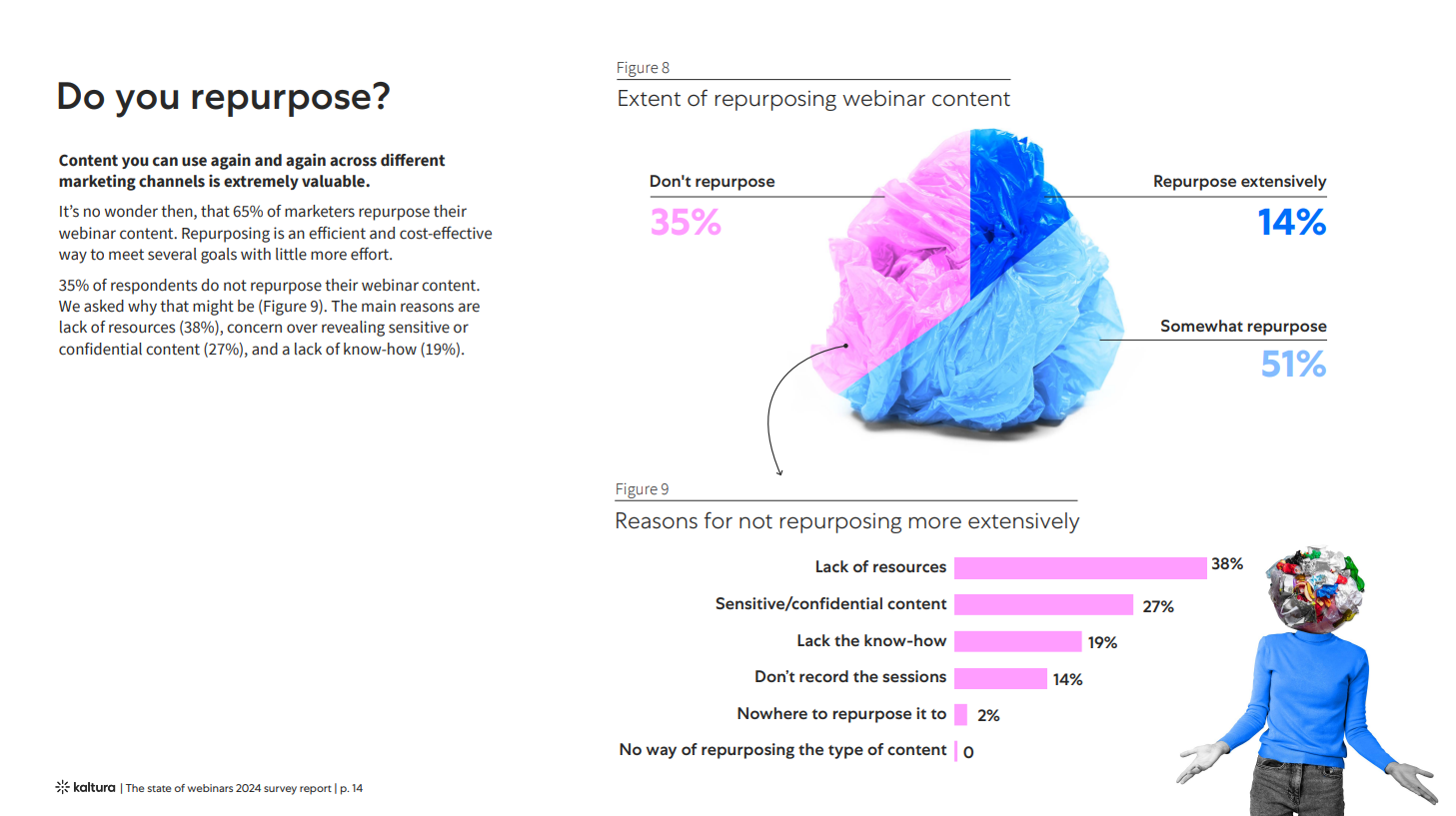
The most popular channels marketers use to re-air this content are the company website (53%), email marketing (48%), content marketing (35%), and social media (34%), followed by other channels such as in-person presentations, events, PR, and podcasts.
The success of content repurposing in marketing makes it clear that the value of a recording doesn't end once the event is over. In the realm of human resource development and L&D, the same principle can be applied to extend the lifecycle of learning material and build a sustainable, self-directed learning ecosystem.
3 Strategies for Turning Recordings into Video Learning
1. Content Audit and Segmentation
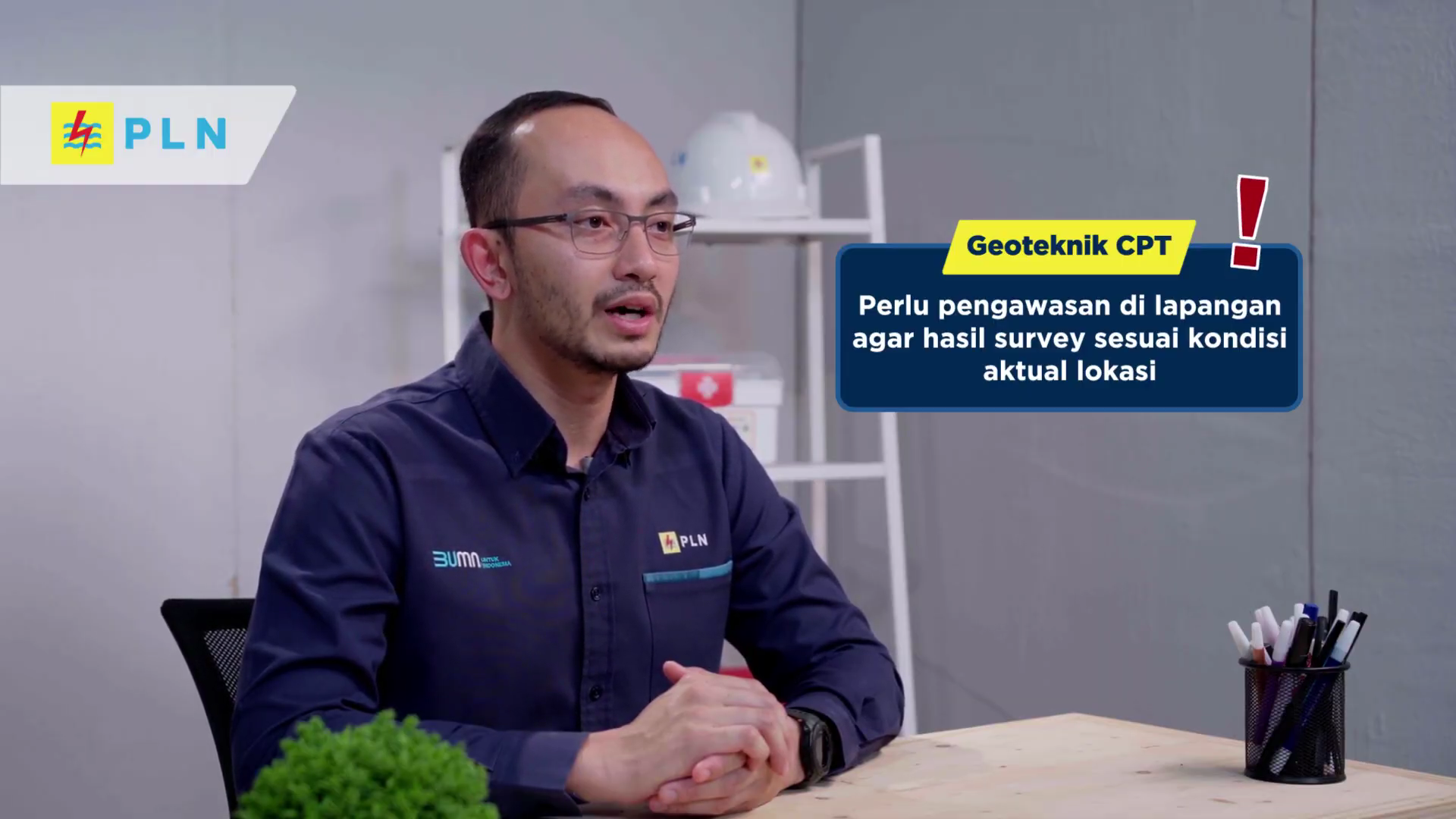
The first step is to dissect the video and break it down into standalone modules. Apply one core rule: a single micro-video should only solve one specific problem.
Split a 3-hour video into 5 to 8 separate modules, each running 3 to 5 minutes. This breakdown aligns with the Cognitive Theory of Multimedia Learning developed by Richard Mayer.
This theory explains that human working memory capacity is very limited. Material that's too long, unstructured, or packed with irrelevant information increases extraneous cognitive load. As a result, employees' comprehension of the material drops sharply.
Guo, Kim, and Rubin conducted a study on 6.9 million online learning video viewing sessions. The research found that median engagement time never exceeded six minutes, regardless of the video's total length.
For videos running 9 to 12 minutes, the average viewer watched less than half the content. Even for videos running 12 to 40 minutes, that proportion dropped to less than a quarter of the total runtime.
Additionally, a systematic review of 40 studies found that microlearning formats have a positive impact on knowledge acquisition, memory retention, and skill application on the job. Shorter formats have proven able to consistently sustain employee motivation and learning satisfaction.
2. Restructuring the Narrative
A live session usually opens with a lengthy welcome and small talk. When turned into standalone material, this part should be cut entirely. Replace that opening with the Core Takeaway up front, so employees immediately know what's in it for them.
Use a concise, action-focused delivery structure like this:
– Problem: describe a real work obstacle employees face in 1-2 sentences.
– Core Solution: show the clip of the explanation or problem-solving technique from the presenter.
– Practical Steps: provide a step-by-step guide employees can apply right away.
3. Lean Editing
You don't need an expensive studio to polish an old recording. Simple editing is enough to make the viewing experience more comfortable. This light editing process includes the following:
– Cutting dead air: remove dead silence, filler sounds like "umm…" or "uhh…", and pauses while the presenter searches for a document.
– Adding on-screen text: display key points or technical terms at the bottom of the screen to reinforce understanding.
– Adding chapter markers: use timestamps or chapter markers so employees can skip to the part they need.
– Adding supporting graphics: insert simple diagrams or brief infographics to clarify complex concepts.
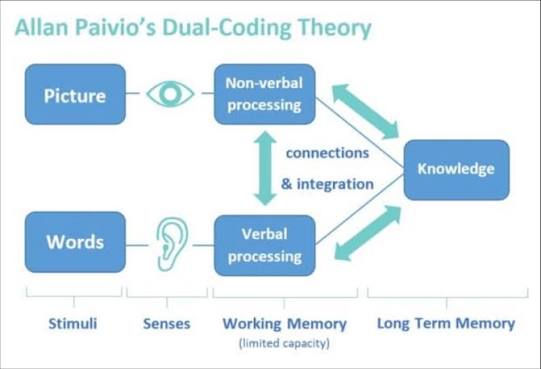
This step aligns with Allan Paivio's Dual Coding Theory. The human brain processes verbal and visual information through two separate channels. When spoken narration is paired with informative visuals, employees' focus and memory retention last longer.
When Repurposing Video Learning Shouldn't Be Forced
While repurposing recordings saves a great deal of time, it isn't always the right option. There are a few conditions where producing a video from scratch is actually more effective.
First, when the audio quality is completely broken. If the presenter's voice echoes badly, cuts out, or is drowned out by background noise, cutting it into short modules will only make that poor quality more obvious. Employees will tire quickly listening to unclear audio.
Second, when there's been a significant change in work procedures. If more than 50% of the technical steps in the video are no longer relevant due to a company system update, repurposing the old video will only cause confusion.
Third, material that requires local contextualization or a culture shift. Topics that demand high emotional engagement, such as empathetic leadership or conflict resolution, are hard to address with short clips alone. Material like this needs a simulation-based or interactive scenario approach designed specifically for it.
Monkey Melody understands that every company faces different challenges and goals.
That's why we offer a tailored approach to ensure every video we create achieves the intended training objectives. Ready to transform your company's training material into effective video learning or interactive video?
Contact Monkey Melody now via WhatsApp at +62 812-1954-8155, email info@monkeymelody.com, or through the link below.
More insights
Research on Interactive Video Among Biology Students
The use of video as a self-paced e-learning medium has become standard practice in corporate training programs and higher education.
The Science Behind Why Microlearning Works
A single long training day often fails because it fights how the brain actually works — see how microlearning, the Forgetting Curve, and spaced repetition make material actually stick.
How AI Video Search Is Transforming Corporate L&D
Thousands of hours of training video pile up in your company's LMS, hard to search once a program ends — see how AI Video Search is changing the way L&D teams find specific moments buried in that dark data.
Want the short version, applied to your company?
Let's talk about what this means for you.
Get in touch